Legacy Application Modernization: Strategies, Costs and Roadmap
- Arcitech
- 10th October 2026
Organizations may depend on unsupported programming languages, tightly coupled components, manual deployments, limited integrations, and infrastructure that cannot scale efficiently.
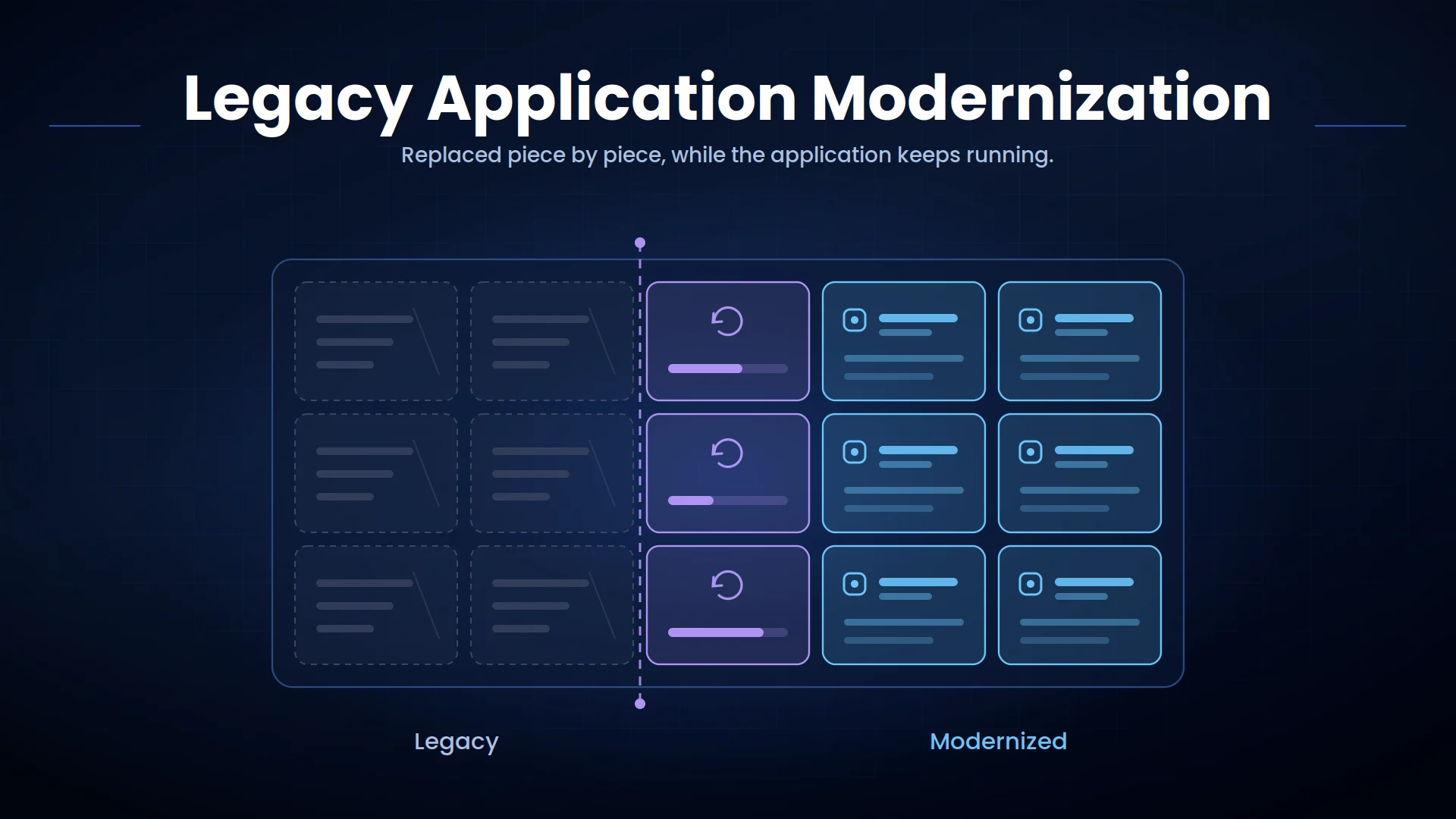
Legacy application modernization improves these systems without unnecessarily disrupting the business processes they support. The right strategy may involve migration, selective upgrades, architectural changes, replacement, or a combination of approaches.
What Is Legacy Application Modernization?
Modernization does not always mean rebuilding an entire application. A business may move the application to cloud infrastructure, expose legacy functions through APIs, replace selected modules, or gradually separate a monolithic system into services.
Common objectives include:
- Reducing maintenance costs
- Improving security and compliance
- Supporting faster software releases
- Connecting applications and data
- Increasing scalability and reliability
- Improving employee and customer experiences
- Enabling automation, analytics, and AI
- Reducing dependency on outdated skills or vendors
When Should an Enterprise Modernize a Legacy Application?
Common warning signs include:
- Frequent outages or performance problems
- Unsupported operating systems or frameworks
- Increasing maintenance expenses
- Limited access to skilled developers
- Slow release and testing cycles
- Weak security controls
- Inability to integrate with modern applications
- Poor mobile or web experiences
- Manual work caused by missing capabilities
- Difficulty using enterprise data for analytics or AI
Legacy Application Modernization Strategies
Rehost
It can reduce infrastructure burden and accelerate migration, but it does not resolve inefficient architecture or outdated code.
Replatform
This approach provides operational benefits without requiring a complete rewrite.
Refactor
Refactoring supports scalability and faster development but requires more time, testing, and architectural expertise.
Rebuild
Repurchase
Retire or Retain
AWS documents these choices within its current 7Rs migration strategy: rehost, replatform, refactor, repurchase, retire, retain, and relocate.
Key Cost Drivers in Application Modernization
Application Size and Complexity
Integration Dependencies
Data Migration
Security and Compliance
Availability Requirements
Testing and Change Management
Decision-makers should evaluate total cost of ownership, not only initial development. Modernization may require significant investment but can reduce infrastructure, licensing, support, downtime, and manual-process costs over time.
A Practical Application Modernization Roadmap
1. Assess the Application Portfolio
Classify each system according to business value, technical condition, and modernization urgency.
2. Define Business Outcomes
Microsoft’s Cloud Adoption Framework recommends establishing business justification and outcomes before planning, migration, modernization, governance, security, and ongoing management.
3. Map Dependencies and Business Logic
Interview employees who use the system. Important business rules are often known by users but absent from technical documentation.
4. Select the Modernization Strategy
5. Build a Business Case
Include contingency for unknown dependencies and data-quality issues.
6. Modernize in Controlled Phases
The strangler pattern can gradually replace legacy functions with modern services while the existing application remains operational.
7. Migrate Data and Users
Provide training and support so users can complete the new workflow successfully.
8. Measure and Optimize
Modernization for AI and Automation
An application modernization strategy can introduce API layers, event-driven integration, governed data access, and modular services. These capabilities allow AI systems to retrieve information or initiate approved actions without receiving unrestricted access to core applications.
Organizations should modernize around specific business use cases rather than adding AI technology without a measurable operational need. Enterprise process automation can help identify where better system connectivity would remove manual handoffs across departments.
Risks and Best Practices
Use phased delivery, automated testing, security reviews, performance baselines, data reconciliation, and documented rollback plans. Preserve stable business logic unless there is a clear reason to change it.
Avoid rewriting an entire application simply because newer technology is available. The modernization depth should match the business problem and expected return.
Conclusion
Successful modernization begins with portfolio assessment, measurable outcomes, dependency mapping, realistic cost analysis, and phased execution. This approach reduces risk while creating a foundation for future integrations, automation, analytics, and AI.
Modernize Enterprise Applications With Arcitech
Arcitech helps businesses assess legacy systems, modernize application architecture, develop APIs, and integrate enterprise software.
Arcitech’s AI software development services can extend modernized applications with intelligent capabilities, while our AI integration services connect AI, data, workflows, and existing business systems.
Talk to Arcitech about creating a practical modernization roadmap for your application portfolio.
Frequently Asked Questions About Legacy Application Modernization
1. What is legacy application modernization?
It is the process of improving an existing application’s technology, architecture, infrastructure, integrations, security, or user experience.
2. Does modernization require rebuilding the application?
No. An application can be rehosted, replatformed, refactored, integrated through APIs, replaced, retained, or retired.
3. What determines modernization cost?
Major factors include application complexity, integrations, data migration, security requirements, availability needs, testing, and user change.
4. How long does legacy software modernization take?
Timelines vary by scope. A focused migration may take weeks or months, while a phased enterprise transformation may require multiple releases.
5. How can modernization risk be reduced?
Use detailed discovery, dependency mapping, phased delivery, automated testing, data validation, parallel operation, monitoring, and rollback procedures.
Check out our Social Media