What Is BPO Automation? Key Benefits, Use Cases, and Challenges
- Arcitech
- 14th October 2026
A customer finishes a support call, but the work continues. The agent writes notes, updates the CRM, categorises the issue and assigns a follow-up. A quality analyst later reviews the interaction, while a supervisor checks whether the promised action happened.
These handoffs are necessary, but completing each one manually creates opportunities for delays and missing information.
BPO automation uses software, integrations and AI to perform repetitive tasks within outsourced business processes. It supports customer service and back-office operations, helping teams move work between systems while retaining human review for exceptions.
The starting question is straightforward: which steps consume time without requiring meaningful judgment?
What Does BPO Automation Include
Business process outsourcing, or BPO, involves an external provider handling activities such as customer support, finance administration or data processing.
BPO automation improves how those services are delivered. It can combine several technologies:
BPO automation improves how those services are delivered. It can combine several technologies:
- Workflow automation routes tasks, approvals and notifications.
- Robotic process automation, or RPA, performs configured actions in application interfaces.
- AI interprets conversations, classifies requests or drafts summaries.
- System integrations transfer information between connected applications.
Diagnose the Workflow Before Choosing Tools
An overloaded team does not necessarily need a chatbot. The underlying problem could be duplicate data entry, unclear ownership or incomplete customer records.
Review where work waits, where employees repeat actions and where errors create rework.
Automating a poorly defined process can move errors faster. Establish the correct workflow and exception owner first.
Review where work waits, where employees repeat actions and where errors create rework.
| Operational problem | Relevant automation |
|---|---|
| Agents repeatedly copy information between systems | CRM integration and data synchronisation |
| Tickets reach the wrong team | Classification and routing |
| After-call administration delays availability | Draft summaries and structured field updates |
| Quality reviewers struggle to find relevant calls | Conversation search and automated screening |
| Back-office requests stall | Validation, task assignment and escalation |
Practical BPO Automation Use Cases
Contact Centre Automation
Contact center automation can support customers before, during and after an interaction.
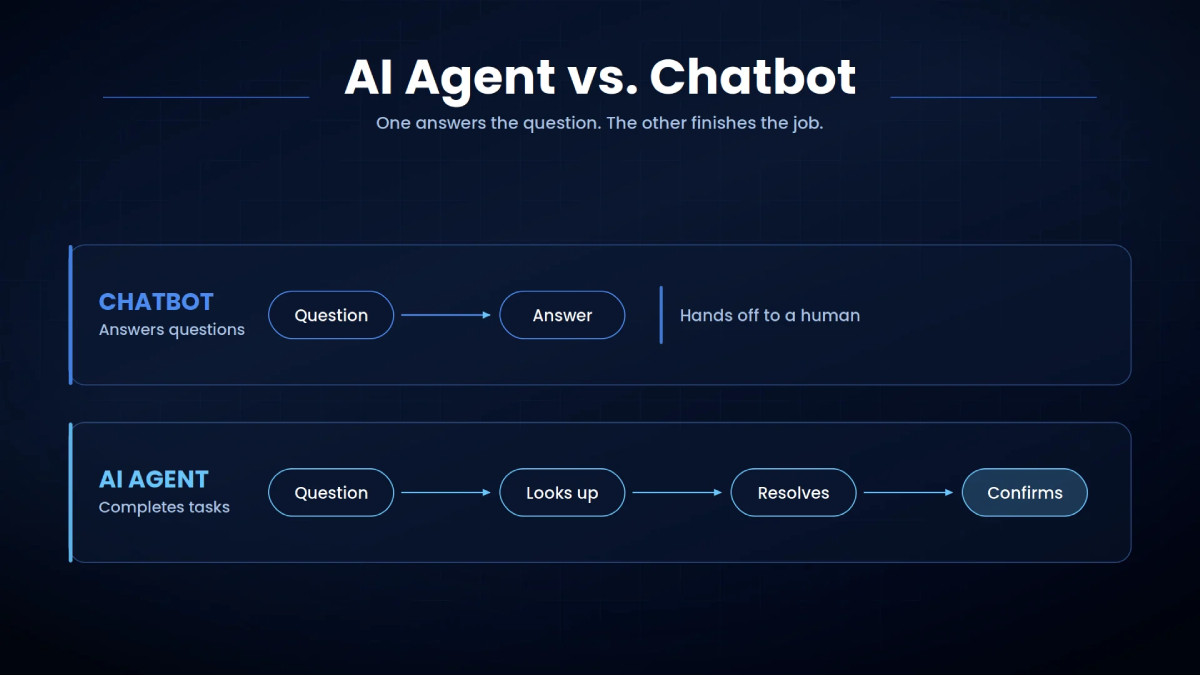
Self-service can handle a defined request, such as checking order status. Routing can direct the customer to an appropriate queue. Agent assistance can retrieve relevant information, while post-contact workflows draft notes and create tasks.
For AI-powered call center automation, choose a narrow use case before expanding.
Consider a hypothetical delivery-support workflow. Automation retrieves the shipment status and offers approved options. If the customer reports a missing parcel despite a delivered status, the case transfers to an agent with the conversation history.
A useful handoff preserves context so the customer does not have to start again.
Self-service can handle a defined request, such as checking order status. Routing can direct the customer to an appropriate queue. Agent assistance can retrieve relevant information, while post-contact workflows draft notes and create tasks.
For AI-powered call center automation, choose a narrow use case before expanding.
Consider a hypothetical delivery-support workflow. Automation retrieves the shipment status and offers approved options. If the customer reports a missing parcel despite a delivered status, the case transfers to an agent with the conversation history.
A useful handoff preserves context so the customer does not have to start again.
BPO Quality Monitoring
BPO quality monitoring checks whether interactions meet agreed service standards.
Conversation analytics can help identify relevant contacts and populate evaluation questions. AWS documentation, for example, describes automated evaluations using conversation transcripts, configured criteria and contact metrics. However, analysing more interactions does not establish that every assessment is correct.
Quality teams should compare automated findings with calibrated human reviews, investigate disagreements and retain access to supporting evidence. A detected phrase or sentiment score should prompt investigation rather than automatically determine an agent’s performance rating.
Conversation analytics can help identify relevant contacts and populate evaluation questions. AWS documentation, for example, describes automated evaluations using conversation transcripts, configured criteria and contact metrics. However, analysing more interactions does not establish that every assessment is correct.
Quality teams should compare automated findings with calibrated human reviews, investigate disagreements and retain access to supporting evidence. A detected phrase or sentiment score should prompt investigation rather than automatically determine an agent’s performance rating.
Back Office Processing
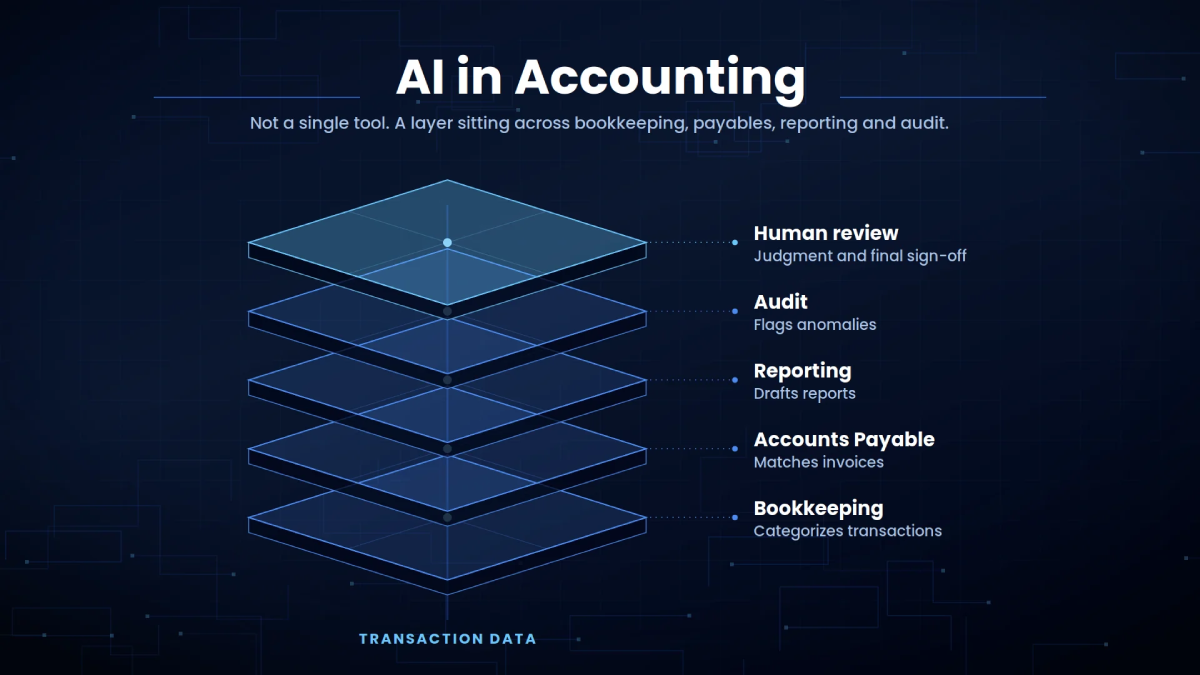
BPO automation also supports document intake, data validation, request assignment and status updates.
For example, an invoice-processing workflow could extract submitted details, check required fields and route mismatches to a reviewer. Payment authorisation would remain subject to the client’s approval rules.
The same principle applies across administrative work: automate predictable steps and make unresolved cases visible.
For example, an invoice-processing workflow could extract submitted details, check required fields and route mismatches to a reviewer. Payment authorisation would remain subject to the client’s approval rules.
The same principle applies across administrative work: automate predictable steps and make unresolved cases visible.
Key Benefits of BPO Automation
Less Repetitive Administration
Connected workflows can reduce copying, searching and manual task creation. Employees can spend more time resolving requests rather than maintaining records.
Time saved becomes valuable capacity when managers adjust workloads and confirm that downstream queues can absorb the output.
Time saved becomes valuable capacity when managers adjust workloads and confirm that downstream queues can absorb the output.
More Consistent Service
Configured routing and escalation rules help standardise routine handling. This is particularly useful when several teams deliver the same client process.
Consistency still depends on maintaining current policies and accurate source data.
Better Operational Visibility
Workflow records can show when a request arrived, which steps completed and where it stalled.
That visibility helps managers separate staffing problems from integration failures, approval delays and unclear responsibilities.
That visibility helps managers separate staffing problems from integration failures, approval delays and unclear responsibilities.
Challenges and Tradeoffs
Integration Reliability
Client systems may have different permissions, data structures and interface limitations.
UI-based automation needs ongoing maintenance. Microsoft documents how missing or changed interface elements can cause desktop automation failures. Prefer supported integrations where practical, and monitor failures with clear recovery procedures.
Inaccurate AI Outputs
A summary can omit an important commitment, and a classification can send a complaint to the wrong queue.
Define review requirements around the consequence of an error. Human-in-the-loop AI provides a useful approach for uncertain outputs and sensitive actions.
Define review requirements around the consequence of an error. Human-in-the-loop AI provides a useful approach for uncertain outputs and sensitive actions.
Client Data and Access
Define client-specific permissions, retention settings and audit requirements. Keep client information separated and verify which data can enter each tool.
Commercial Incentives
Under headcount-based contracts, efficiency improvements can affect revenue unless commercial terms account for the change. Providers and clients should agree how productivity gains influence capacity, pricing and service outcomes.
How to Implement and Measure BPO Automation
Start with one workflow, one client and a measurable problem. Record the baseline, define exceptions and test realistic failure cases before expanding.
Use a balanced scorecard:
Avoid optimising handling time alone. Shorter calls offer little benefit if customers must contact support again.
Use a balanced scorecard:
| KPI | What to evaluate |
|---|---|
| Cost per resolved case | Whether efficiency improves after technology and review costs |
| First-contact resolution | Whether customers get an effective resolution |
| Repeat-contact rate | Whether issues return after apparent completion |
| After-contact work time | Whether administration decreases |
| Quality screening precision | How often flagged issues are confirmed |
| SLA attainment | Whether agreed deadlines are met |
Build Around Service Outcomes
BPO automation works best when it removes a specific obstacle without weakening accountability. Start with repetitive work, preserve context across handoffs and measure resolution quality alongside speed.
Arcitech’s published AI automation services describe a BPO Box quality-monitoring project using speech analytics and sentiment detection. For a similar requirement, begin by defining the workflow, evaluation criteria and review process.
Arcitech’s published AI automation services describe a BPO Box quality-monitoring project using speech analytics and sentiment detection. For a similar requirement, begin by defining the workflow, evaluation criteria and review process.
Ready to Automate Your BPO Operations?
Improve operational efficiency by automating repetitive business processes and integrating intelligent workflows into your BPO operations.
Frequently Asked Questions
1. Is BPO automation the same as RPA?
No. RPA is one component. BPO automation can also include integrations, workflow rules, document processing and conversational AI.
2. Can BPO automation replace agents?
It can automate selected tasks. Complex complaints, exceptions and sensitive decisions still need appropriate human involvement.
3. What should a BPO automate first?
Choose a repetitive, well-defined workflow with measurable effort, reliable inputs and manageable consequences if an error occurs.
4. Does automated quality monitoring remove manual reviews?
No. Human reviews help validate automated findings, resolve disagreements and assess context that a score may miss.
Check out our Social Media