Invoice Processing Automation: How AI Handles Invoices End to End
- Arcitech
- 01th October 2026
Manual processing creates delays, duplicate payments, data-entry errors, and limited visibility into outstanding liabilities.
Invoice processing automation uses artificial intelligence and workflow technology to manage these activities from receipt through approval and ERP posting. Routine invoices can move through the process automatically, while exceptions are routed to the appropriate employee.
What Is Invoice Processing Automation?
Modern platforms combine:
- Optical character recognition
- Intelligent document processing
- Machine learning
- Business rules
- API integrations
- Approval workflows
- Fraud and duplicate detection
How Automated Invoice Processing Works
1. Invoice Capture
Centralized capture prevents invoices from remaining in individual employee inboxes or being processed through inconsistent channels.
2. Invoice Classification
It can also separate files containing multiple documents and route each one to the correct workflow.
3. AI-Powered Data Extraction
- Supplier name and address
- Invoice number and date
- Purchase-order number
- Line-item descriptions
- Quantities and unit prices
- Tax and discount amounts
- Payment terms and due date
- Bank details and total amount
4. Validation and Verification
Confidence thresholds determine whether information can proceed automatically or requires employee review.
5. Purchase-Order Matching
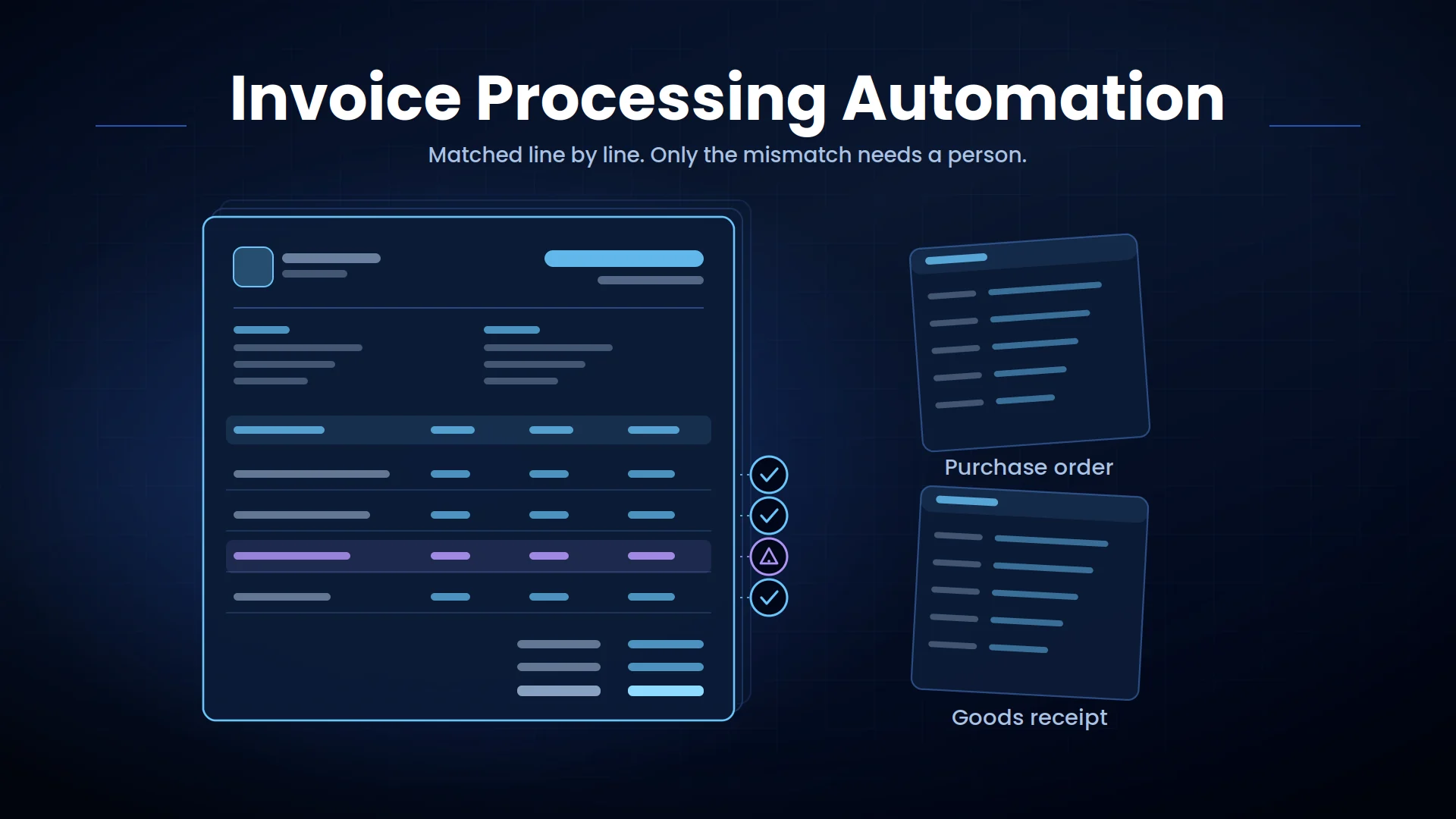
A two-way match compares the invoice against the purchase order. A three-way match also checks whether the goods or services were received.
Differences in quantity, price, tax, or delivery status are flagged according to predefined tolerance rules.
6. Duplicate and Anomaly Detection
A sudden change in supplier banking information, for example, should trigger additional verification rather than automatic payment.
7. Approval Routing
Approvers receive the invoice, extracted data, matching results, and reason for escalation. Automated reminders can reduce delays without requiring the AP team to follow up manually.
8. ERP Posting and Payment Preparation
Payment authorization should remain separate from extraction and approval controls, particularly for high-value transactions.
Benefits of AI Invoice Processing
Faster Processing Cycles
Lower Processing Costs
Fewer Errors and Duplicate Payments
Better Cash-Flow Visibility
Stronger Audit Readiness
Easier Business Growth
Common Invoice Automation Use Cases
High-Volume Supplier Invoices
Non-Purchase-Order Invoices
Multi-Entity Finance Operations
International Invoice Processing
Best Practices for Implementing Invoice Automation
Define exception rules before deployment. Determine which mismatches can proceed within tolerance and which require finance, procurement, or business-owner review.
Integrate invoice automation with supplier records, purchase orders, goods receipts, approval structures, and ERP data. Extraction alone does not create end-to-end automation. Apply role-based access, encryption, audit logging, and separation of duties.
Employees who approve invoices should not automatically control supplier bank-detail changes or payment release.
Monitor extraction accuracy, touchless-processing rate, exception rate, approval time, cost per invoice, duplicate detection, and on-time payment rate.
Conclusion
The greatest value comes from connecting document AI with business rules, human review, ERP integration, and secure payment controls.
Automate Invoice Processing With Arcitech
Arcitech develops AI-powered invoice and accounts payable workflows that connect document processing with ERP, finance, procurement, and approval systems.
Explore Arcitech’s AI automation services to reduce manual invoice work, improve financial control, and accelerate accounts payable operations.
Frequently Asked Questions About Invoice Processing Automation
1. What is invoice processing automation?
It uses AI and workflow software to capture, extract, validate, approve, and post invoice information with less manual effort.
2. How does AI read different invoice formats?
AI combines OCR, layout analysis, and machine learning to identify invoice fields based on both position and context.
3. Can invoice automation perform three-way matching?
Yes. It can compare invoice data with purchase orders and goods receipts, then flag differences outside approved tolerances.
4. Does automated invoice processing eliminate human review?
No. Uncertain, high-value, mismatched, or suspicious invoices should be sent to authorized employees for review.
5. How should invoice automation performance be measured?
Track processing time, extraction accuracy, touchless-processing rate, exception rate, cost per invoice, approval time, and duplicate payments prevented.
Check out our Social Media