
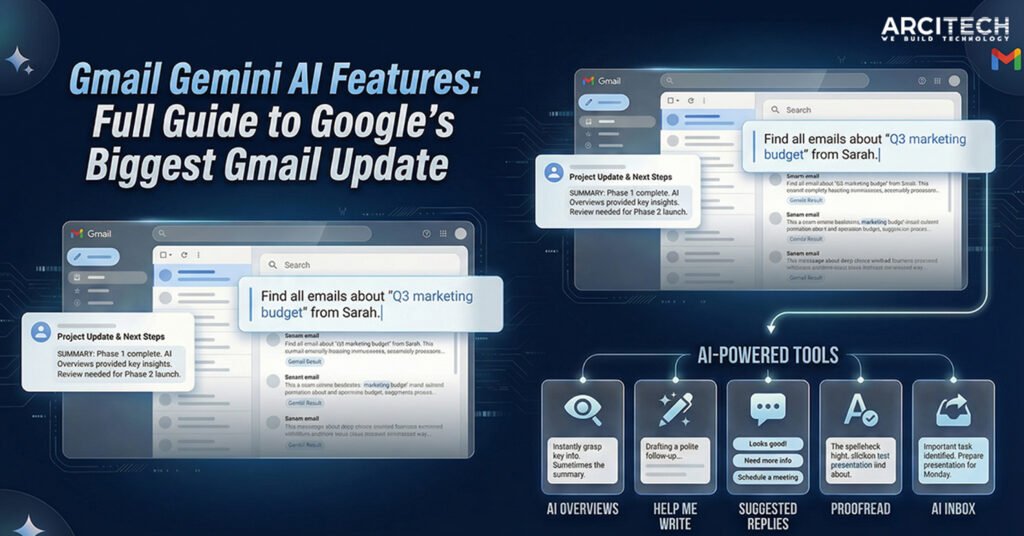
Gmail is getting its biggest change in more than 20 years. On January 8, 2026, CEO Sundar Pichai announced that Google is “bringing Gmail into the Gemini era” — turning the inbox 3 billion people rely on into a proactive AI assistant. The new Gmail Gemini AI features summarize threads, draft replies, polish your writing, and surface what matters, all powered by Google's Gemini 3 model.
The problem they target is universal: too many emails, too little time, and the important details buried inside long conversations.
What Are Gmail Gemini AI Features?
They're a set of Gemini-powered tools built directly into Gmail that help you read, write, summarize, and search your email. Instead of scrolling through threads or writing every reply from scratch, Gmail can now summarize long conversations, suggest context-aware replies, help you draft and refine messages, highlight priority emails, and answer questions about your inbox in plain language. In short, Gmail is shifting from an email app to a personal information assistant.
Why Google Is Reworking Gmail Now
Gmail launched in 2004 and reshaped email. But email volume today — work, bills, receipts, travel, newsletters — has hit an all-time high, and Google says people now spend more time managing their inbox than responding to it. Pichai's “Gemini era” framing is about making Gmail proactive: instead of forcing you to search and scroll, it understands context and delivers the answer.
AI Overviews: The Headline Feature
You can also ask your inbox questions in natural language, like “What did my manager decide about the deadline?” and get a direct answer rather than a list of emails.
Availability: conversation summaries are free for everyone; asking inbox questions is limited to Google AI Pro and Ultra subscribers.
The New AI Writing Tools
- Help Me Write drafts emails from a simple prompt, rewrites for clarity, and adjusts tone. Free for all users.
- Suggested Replies upgrades the old Smart Replies — Gemini reads the full conversation and matches your writing style for natural, one-click responses. Free for all users.
- Proofread fixes grammar, sharpens clarity, and refines tone, making it useful for formal and work emails. Subscriber-only (AI Pro/Ultra).
The AI Inbox: A Daily Briefing
The AI Inbox reorganizes email around importance rather than pure chronology, surfacing priority messages, deadlines, and bills, plus suggested topics to catch up on. Gmail decides what's important using signals like who you email often, saved contacts, and message urgency. For now it's rolling out to select testers, with wider availability planned in the coming months.
Free vs Paid Features
| Feature | Free | AI Pro / Ultra |
|---|---|---|
| Email thread summaries | Yes | Yes |
| Help Me Write | Yes | Yes |
| Suggested Replies | Yes | Yes |
| Ask inbox questions | No | Yes |
| Advanced Proofread | No | Yes |
Availability and Rollout
The features are rolling out in phases, starting in the US, in English, on desktop and mobile, with more languages and regions coming later in the year.
A Quick Note on Accuracy and Privacy
These are AI-generated summaries, and Google labels the generative AI as experimental — outputs can be wrong, so verify anything important against the original email. On privacy, Google says analysis happens securely and existing protections remain. You can switch the features off, but there's a catch: disabling Gmail's AI means turning off smart features entirely, which also removes inbox tabs and automatic message sorting.
The Bigger Picture
Embedding Gemini into a product 3 billion people already use is Google's core advantage against rivals like OpenAI and Anthropic — no new app to learn, AI where people already are. It's a strategy that has also fed investor confidence in Alphabet.
Frequently Asked Questions
1. What are Gmail Gemini AI features?
AI tools built into Gmail that summarize emails, draft and polish messages, organize your inbox, and answer inbox questions in natural language.
2. Are Gmail Gemini AI features free?
Summaries, Help Me Write, and Suggested Replies are free. Asking inbox questions and advanced Proofread require Google AI Pro or Ultra.
3. Can I turn off Gemini AI in Gmail?
Yes, in Settings, but disabling it turns off Gmail's smart features entirely — including inbox tabs and message sorting.
4. Are the AI summaries accurate?
They're helpful but experimental, so verify important details against the source email.
5. When will Gmail's AI features reach more countries?
Google plans to expand to more regions and languages in the coming months.