Workflow Automation Software: How to Choose the Right One
- Arcitech
- 10th July 2026

The market for workflow automation software is crowded, and the tools all promise the same thing: save time, cut errors, scale your operations. The hard part isn't finding options — it's choosing the one that fits your processes, your team, and your existing systems.
Pick wrong, and you end up with an expensive tool no one adopts or one that can't connect to the systems you actually run. This guide walks you through what workflow automation software does, the features that matter, and a clear evaluation process to choose the right platform with confidence.
What Is Workflow Automation Software?
Workflow automation software is a platform that lets you build, run, and manage automated processes — moving tasks, data, and approvals between people and systems without manual effort.
Instead of an employee copying data between apps or chasing sign-offs by email, the software routes each step automatically based on rules you define. Modern platforms increasingly add AI to handle decisions and unstructured data, turning simple task automation into intelligent, end-to-end workflows.
Why Choosing the Right Tool Matters
The cost of a wrong choice isn't just the subscription. It's the wasted implementation time, the workarounds your team invents, and the processes that stay manual because the tool couldn't handle them.
The right platform pays back in adoption and scale. As automation moves from experiment to core operations — Gartner projects 40% of enterprise applications will embed task-specific AI agents by the end of 2026 — the platform you choose becomes long-term infrastructure, not a disposable app. Choosing deliberately now saves a costly migration later.
Key Features to Look For
- Integrations. The tool should connect with the systems you already use, including CRM, ERP, email, databases, and communication platforms. Check for native connectors and API access.
- Ease of use. Look for no-code or low-code builders that allow business teams, not only developers, to create and update workflows.
- Conditional logic and branching. The platform should support “if this, then that” rules, manage exceptions, and route edge cases to human reviewers.
- AI and intelligent automation. For processes involving documents, text, or decision-making, prioritize tools with built-in AI capabilities instead of relying only on rigid rules.
- Scalability. The solution should handle increasing volumes and more complex workflows without performance issues or uncontrolled costs.
- Analytics and monitoring. You need clear visibility into active workflows, bottlenecks, failures, and overall automation performance.
- Security and compliance. Look for audit trails, role-based access, data controls, and other safeguards required for regulated or sensitive environments.
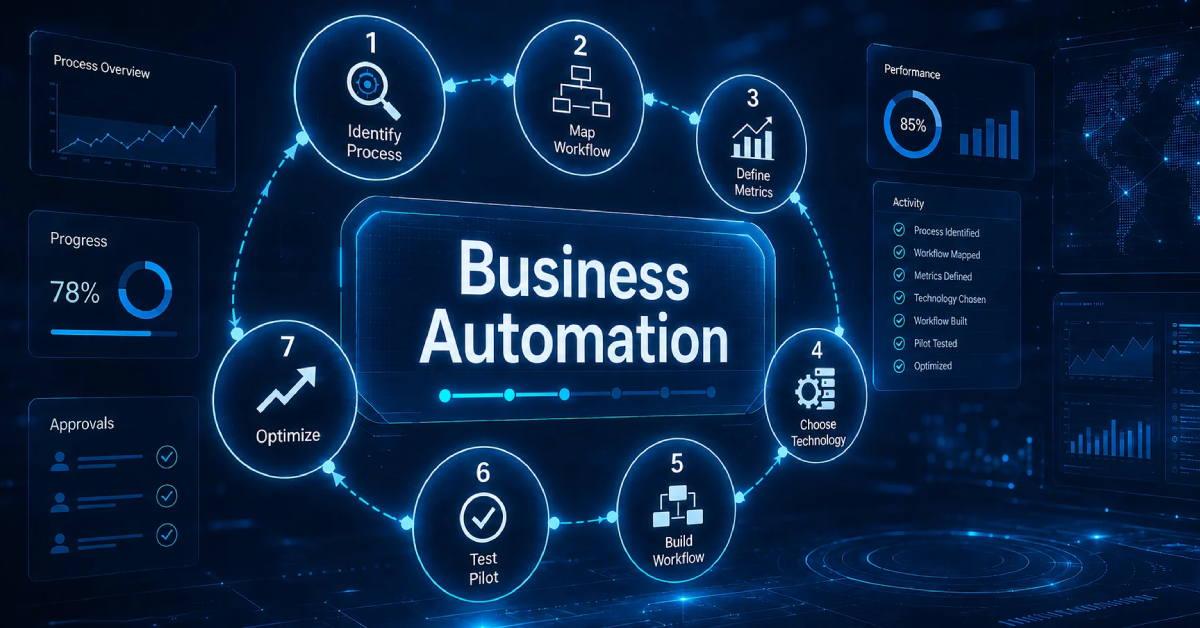
How to Choose Workflow Automation Software: A Step-by-Step Approach
Step 1: Map Your Requirements First
Step 2: Prioritize Integration Fit
Step 3: Match Complexity to Your Team
Step 4: Evaluate Scalability and Total Cost
Step 5: Test With a Trial or Pilot
Step 6: Check Support and Vendor Reliability
Types of Workflow Automation Software
- No-code or integration platforms. These tools connect applications and automate simple, cross-platform tasks, making them well suited for lightweight automation managed by business users.
- Business process management platforms. BPM tools support complex, structured, enterprise-wide workflows with stronger governance, control, and process visibility.
- Robotic process automation tools. RPA is designed for repetitive, rule-based tasks across legacy systems that do not offer modern APIs or native integrations.
- AI or intelligent automation platforms. These solutions combine workflow automation with AI to manage decisions, documents, and unstructured data from end to end.
Common Mistakes to Avoid
- Buying features you do not need. Choose a tool based on your actual requirements, not the length of its feature list.
- Ignoring integration. Even the most impressive platform has limited value if it cannot connect with your existing systems.
- Overlooking adoption. If the tool is too complex for the team, it is unlikely to be used consistently.
- Skipping the pilot. Product demonstrations can hide real-world limitations, so test the platform with a practical use case before committing.
- Underestimating total cost. Review how pricing changes with users, usage, data volume, and workflow complexity before you become locked in.
Conclusion
Not Sure Which Platform Fits Your Business?
Choosing and implementing the right automation platform is easier with expert guidance. Talk to our automation specialists — we'll assess your processes and recommend the right-fit solution, then help you deploy it for measurable results.
Frequently Asked Questions
1. What is workflow automation software?
It's a platform that builds, runs, and manages automated processes — routing tasks, data, and approvals between people and systems automatically based on defined rules, often enhanced with AI.
2. How do I choose the right workflow automation software?
Start by mapping your requirements and the systems involved, then prioritize integration fit, match tool complexity to your team's skills, evaluate total cost, and pilot the top option before committing.
3. What features are most important in workflow automation software?
The most important are integrations with your existing systems, ease of use (no-code/low-code), conditional logic, scalability, analytics, and strong security and compliance controls.
4. Do I need coding skills to use workflow automation software?
Not usually. Most modern platforms offer no-code or low-code builders so business users can create workflows, though more advanced platforms offer code options for complex needs.
5. What is the difference between RPA and workflow automation software?
RPA automates repetitive, rule-based tasks by mimicking human actions across systems. Workflow automation software orchestrates entire multi-step processes across people and apps, and increasingly adds AI for decision-making.
Check out our Social Media